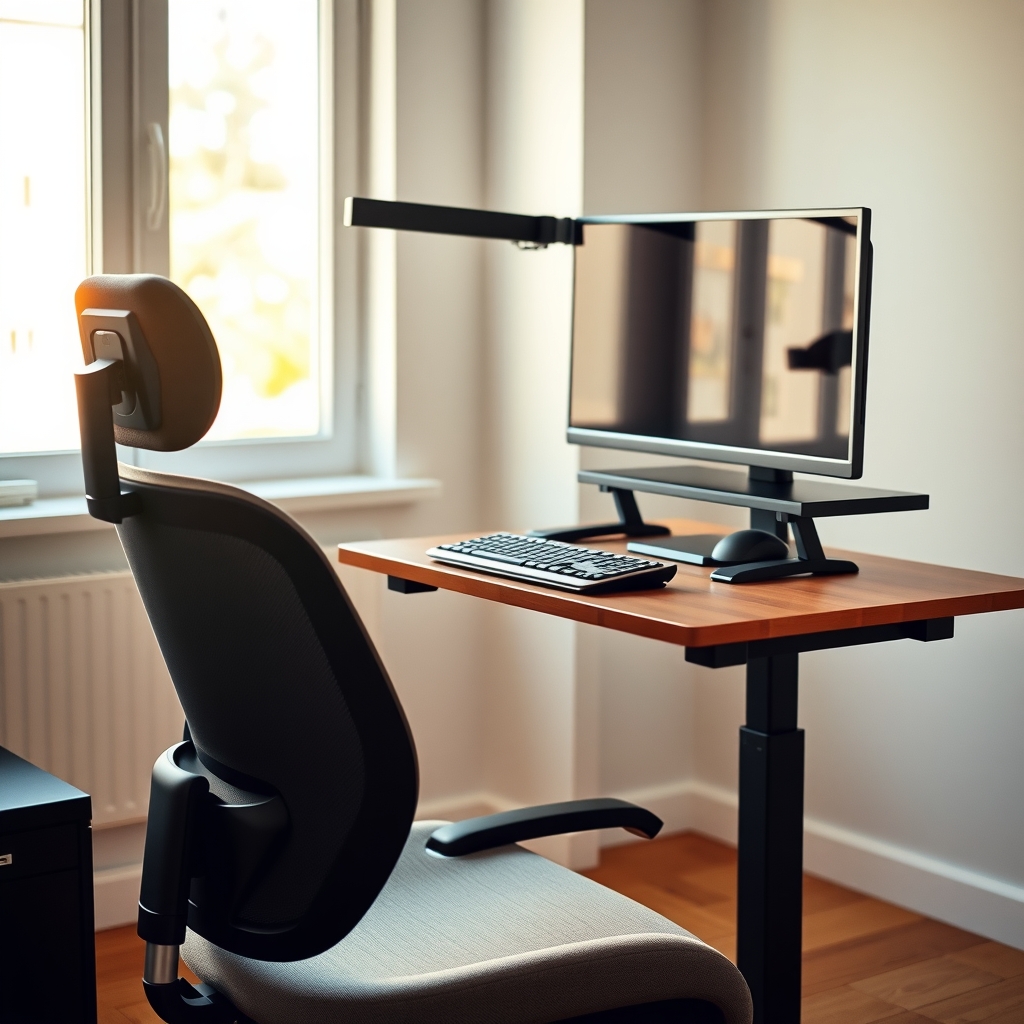
If you spend most of your workday at a desk and notice stiffness in your neck, tight shoulders, or a dull ache in your lower back by late afternoon, this guide is for you. It is written for office workers, remote employees, students, and anyone else whose role requires long stretches of sitting and screen time. You do not need a specialized background in ergonomics or a budget for expensive equipment to make meaningful changes.
By the end of this article, you will be able to:
- Adjust your chair, monitor, and desk height so your spine stays in a neutral, supported position
- Arrange your keyboard and mouse to keep your shoulders relaxed and wrists straight
- Insert brief, practical movement breaks that interrupt static loading without derailing your workflow
- Perform a handful of targeted exercises that activate deep core and scapular muscles right at your workstation
- Build a simple end-of-day routine to restore tissue length and joint mobility
- Choose accessories that reinforce good habits rather than becoming clutter
These steps work together as a system. If you have an existing injury or persistent pain, check with a healthcare professional before starting new movement patterns.
Optimize Chair Settings for Neutral Spine Alignment
Start by sitting all the way back so your pelvis contacts the seat back. If the chair has a lumbar adjustment, raise or lower it until the curve fills the natural hollow of your lower back without pushing you forward. Many people find that a small rolled towel placed at belt level works when the built-in support sits too high or low. Set the seat height so your feet rest flat on the floor and your thighs are roughly parallel to the ground; if the desk forces your elbows higher, use a stable footrest rather than perching on the front edge of the seat. Adjust seat depth so you have two to three finger-widths between the front edge and the back of your knees — this prevents pressure on the popliteal area and lets you use the backrest fully. Unlock the recline tension and lean back 100 to 110 degrees for keyboard work; a slight recline shifts load off the lumbar discs while keeping your head over your shoulders. If the chair has adjustable armrests, lower them until your shoulders relax and your elbows hang at about a 90 to 100 degree angle when typing. Armrests that hit the desk edge force you to hunch or perch forward.
- Feet flat, thighs parallel, small gap behind knees
- Lumbar support in the small of the back, not the mid-back
- Recline unlocked, 100 to 110 degrees for typing
- Armrests low enough to keep shoulders down
Check these settings each morning; chairs shift over time and so does your body. If you feel pressure points, numbness, or increasing discomfort after 30 minutes, readjust or consider a different chair model. Persistent pain warrants a conversation with a healthcare provider.
Position Monitor and Input Devices to Eliminate Forward Head Posture
Place the top of your monitor at or slightly below eye level so your gaze falls naturally on the upper third of the screen without tilting your chin down. If you use a laptop, raise it on a stable stand or a stack of books and add an external keyboard and mouse; this separates the screen height from the hand position and keeps your neck in a neutral line with your spine. Sit at an arm's length from the display, roughly 50 to 70 centimeters, adjusting closer or farther until text is sharp without leaning forward. Tilt the screen back 10 to 20 degrees to reduce glare and match the downward angle of your eyes.
Center the monitor directly in front of you; if you reference documents, use an inline document holder between the keyboard and screen so your head stays midline. Position the keyboard so your elbows stay near your sides at about 90 degrees, with wrists floating straight, not bent up or down. Keep the mouse on the same plane and within easy reach — avoid stretching to the side. A compact keyboard without a number pad often lets the mouse sit closer, reducing shoulder abduction.
- Top of screen at eye level; laptop on stand with external input devices
- Viewing distance arm's length; slight backward tilt
- Monitor centered; documents inline between keyboard and screen
- Keyboard and mouse at elbow height, wrists neutral, mouse close
If you catch yourself craning forward, pull your chin back gently as if making a double chin, then reset the screen distance. Many people find a quick "chin tuck" cue every 30 minutes breaks the forward-head habit. If neck discomfort persists beyond a few days of adjustments, consider checking with a healthcare provider to rule out other contributors.
Configure Desk Height and Layout for Relaxed Shoulders and Supported Arms
Desk height drives shoulder position more than most people realize. If the surface sits too high, you shrug to reach the keyboard; too low, you lean forward and round the upper back. Aim for a height where your forearms rest parallel to the floor with elbows bent around ninety degrees and shoulders relaxed away from your ears. A quick test: drop your hands to your sides, bend elbows to ninety degrees, and note where your fingertips land. That level is your target keyboard plane. If the desk is fixed and too high, raise the chair and add a stable footrest so thighs stay supported and feet are flat. If the desk is too low, place sturdy risers under the legs or use a height-adjustable platform for the monitor and keyboard tray.
Keep the primary work zone — keyboard, mouse, and frequently referenced documents — within a comfortable arc so you don't reach forward or twist. Center the keyboard with the B key aligned to your midline; place the mouse on the same level and immediately beside it to avoid shoulder abduction. A document holder positioned between monitor and keyboard or just to the side keeps reference material at eye level and prevents repeated neck flexion.
- Set desk or keyboard tray so forearms are parallel to floor with shoulders down
- Center keyboard on body midline; mouse touching keyboard edge
- Use a document holder to keep papers at screen height
- Keep phone, water, and notebooks in the secondary zone to avoid overreaching
If shoulders creep up during the day, pause, exhale fully, and let them drop before resuming. Many people find a brief reset every thirty minutes prevents the gradual climb toward the ears. If discomfort persists, check with a healthcare professional to rule out underlying issues.
Integrate Micro-Movement Breaks to Counteract Static Loading
Sitting still for hours loads the same tissues continuously, which often leads to stiffness in the hips, thoracic spine, and shoulders. The goal is not to leave your desk every few minutes but to interrupt that static load with brief, intentional movement. Set a gentle timer for every 30 to 45 minutes. When it goes off, spend 60 to 90 seconds moving through a short sequence before returning to work.
Start by standing and shifting weight side to side, letting the hips unlock. Roll the shoulders backward five times, then forward five times. Reach both arms overhead and lean gently left, then right, opening the rib cage. Perform five seated or standing cat-cow cycles: round the back while tucking the chin, then arch slightly while lifting the chest. Finish with three deep breaths, expanding the belly on the inhale and lengthening the exhale.
- Stand, weight shift side to side, 10 seconds
- Shoulder rolls back x5, forward x5
- Overhead reach with side bend, each side 10 seconds
- Cat-cow cycles x5
- Three diaphragmatic breaths
If a meeting runs long and you miss a window, do not skip the next one; just do it as soon as you can. Many people find that linking the break to a natural transition — ending a call, sending an email, refilling water — makes the habit stick. If any movement aggravates existing pain, scale the range or check with a healthcare provider before continuing.
If you want this in more depth, our book Ergonomics: Designing Your Workspace for Health and Comfort covers it step by step.
Strengthen Deep Core and Scapular Stabilizers With Targeted Desk Exercises
Sitting for hours lets the deep stabilizers that hold your spine and shoulder blades in place go quiet. When those muscles disengage, the upper traps, levator scapulae, and low-back extensors take over, creating the tightness and ache many people feel by late afternoon. Reactivating the deep core and scapular stabilizers does not require a gym session; it only needs a few deliberate contractions spread through the day.
Start with a seated diaphragmatic reset. Sit tall, feet flat, and place one hand on the lower ribs. Inhale through the nose, expanding the ribs laterally and posteriorly rather than lifting the chest. Exhale fully through pursed lips while gently drawing the navel toward the spine without flattening the low back. Repeat five breaths every hour; this cues the transverse abdominis and pelvic floor to share the load with the lumbar spine.
For the scapulae, use the wall-slide pattern adapted to your chair. Sit with your back against the chair, elbows bent to ninety degrees and tucked near your ribs. Press the forearms lightly into the armrests or your thighs, then slide the elbows upward as if tracing a "Y" on the wall behind you. Keep the shoulders down and feel the lower trapezius and serratus anterior engage. Pause two seconds at the top, then lower slowly. Two sets of eight repetitions, twice daily, are enough to remind the brain of the pattern.
Add a prone press-up if you have floor space during a longer break. Lie face down, forearms on the floor, and press the pubic bone down while lifting the chest a few centimeters. Hold three breaths, focusing on length through the crown of the head rather than hyperextension. This counters the flexion bias of desk work without compressing the lumbar facets.
- Seated diaphragmatic breathing: five breaths, hourly
- Seated wall-slide "Y": two sets of eight, mid-morning and mid-afternoon
- Prone press-up: three breaths, once during a longer break
If any movement increases radiating symptoms, dizziness, or sharp joint pain, stop and check with a clinician before continuing. Consistency beats intensity; a few mindful reps every day will serve you better than an occasional marathon session.
Build End-of-Day Reset Rituals to Restore Tissue Length and Joint Mobility
After hours of sitting, the hips, chest, and upper back often shorten and stiffen. A short, consistent reset routine helps restore length and mobility before you transition to the rest of your evening. Aim for five to ten minutes within thirty minutes of finishing work. Move slowly and breathe into each position.
Start with a supported hip flexor stretch. Kneel on one knee with the other foot forward, tuck the pelvis under, and gently shift weight forward until you feel a stretch in the front of the hip on the kneeling side. Hold for thirty seconds per side. If kneeling bothers your knee, place a folded towel underneath or do the same stretch standing with one foot on a low chair behind you.
Next, open the chest and thoracic spine. Lie lengthwise on a foam roller or a rolled-up firm blanket positioned along your spine, head and hips supported. Let your arms fall open to the sides, palms up. Stay for one to two minutes, breathing deeply. If the roller feels too intense, use a thinner roll or skip it and do a doorway pec stretch instead: forearms on the doorframe, step one foot through until you feel a gentle stretch across the chest, hold thirty seconds.
Finish with a few cat-cow cycles on hands and knees, then sit back into child's pose with arms extended forward, letting the lower back broaden. If any position causes sharp pain, stop and check with a healthcare provider before continuing. Many people find this sequence reduces the tightness that builds up during the day and makes the next morning feel easier.
Select and Use Ergonomic Accessories That Reinforce Sustainable Habits
A well-chosen accessory should solve a specific mismatch between your body and the workstation, not simply add clutter. Start by identifying the one or two spots where you consistently deviate from neutral alignment despite the adjustments already made. If your feet dangle or you perch on the front edge of the seat, a stable footrest with a textured, angle-adjustable surface lets you plant your soles firmly, which encourages the pelvis to stay back in the chair. If the monitor still sits too low after using its built-in stand, a simple riser — or a stack of sturdy books — brings the top third of the screen to eye level without forcing you to crane your neck.
For keyboard and mouse work, a low-profile tray that tilts slightly negative (front edge lower than back) keeps wrists in a straighter line and shoulders relaxed. Choose a tray wide enough to hold both input devices side by side so you do not reach outward for the mouse. A vertical or trackball mouse can reduce forearm pronation for people who feel wrist fatigue, while a split keyboard lets each hand find a natural angle. Test any new device for at least three full workdays before deciding; the learning curve often masks the real benefit.
Lumbar cushions and seat wedges are useful only when the chair itself cannot be adjusted to support your curve. Pick a firm, contoured cushion that fills the gap without pushing you forward. A document holder placed inline between keyboard and monitor prevents repetitive neck rotation when referencing papers. Finally, a timer app or wearable vibration reminder reinforces the micro-break habit without relying on willpower. Many people find that paring down to the few accessories that address their actual pain points works better than buying a full "ergonomic kit" at once. If discomfort persists after two weeks of consistent use, check with a healthcare provider to rule out underlying issues.
Putting It Together
Start Monday by picking one adjustment from each earlier section and applying it before you open your laptop. Raise the chair so feet rest flat and hips sit slightly above knees. Pull the monitor to arm’s length with the top line at eye level. Set the keyboard tray or desk surface so elbows stay near your sides at roughly 90 degrees. Keep a sticky note at eye level that reads "ears over shoulders" as a gentle cue. Set a timer for 45 minutes; when it sounds, stand, roll shoulders back, and take three slow breaths before sitting again.
- Monday–Wednesday: focus only on the setup and the hourly stand-up cue. Notice where fatigue creeps in.
- Thursday–Friday: add two desk exercises — chin tucks and scapular wall slides — during one break each morning and afternoon.
- Saturday: do the end-of-day reset routine (doorway pec stretch, thoracic rotation, hip flexor lunge) once, holding each 20–30 seconds per side.
- Sunday: review what felt sustainable. Keep the changes that required almost no willpower; tweak or drop the rest.
If any stretch or movement sharpens pain, stop and check with a clinician before continuing. Many people find that consistency with a few small habits beats a perfect plan abandoned after three days.
More from the blog
- How to Set Up an Ergonomic Laptop Workstation at a Kitchen Table
- Eating Healthy on a Budget Without Cooking: No-Heat Meals and Smart Buys
- Why Restaurant Meals Often Undermine Health Goals
From FitLife Solutions
Our book Ergonomics: Designing Your Workspace for Health and Comfort goes further, as a digital eBook (PDF and EPUB) you can read on any device.
Browse all our practical health and fitness guides at fitlifesolutions.site.
Marketing a product or service of your own? Get chapter 1 of The Digital Marketing Guide free by email.
New practical health guides and articles on WhatsApp: follow our channel.
Earn by sharing our books with your audience: join our affiliate channel on Telegram for one ready-to-post book a day.
This article is for general information only and is not a substitute for professional medical advice. Talk to your doctor or another qualified health professional before changing your diet, exercise or health routine, especially if you have a medical condition or take medication.